
What type of website do you want?
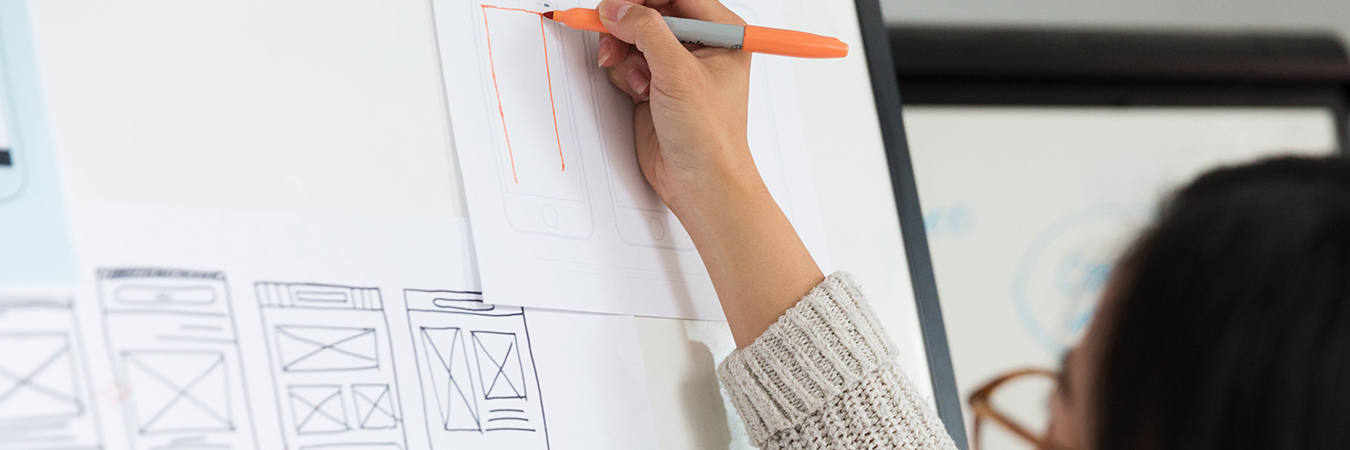
If you’re not sure what features or functionality you need, and you’re not planning on developing it yourself, it’s a good idea to create a web design plan or work with someone who can help put one together for you. The web design plan will help you communicate with a developer or web designer what the vision is that you have for the website. The web design plan should show where the navigation, buttons, text, images, special functionality, call out boxes, etc. will be located on a webpage – and at different levels of the hierarchy. This plan should be created before work commences to ensure everyone agrees upon expectations and results. When done correctly, a web design plan will help you maintain a consistent look and feel across your website and help you determine where to add future content so long as basic principles are followed. If you have never designed a website from scratch, it’s helpful to think about one as if you were building a house.
Building a website is similar to building a house
- Your home page is the front door; the colors, images, navigation, and messaging you use is the first impression of who you are.
- You need a solid foundation with proper infrastructure – such as walls, plumbing, electricity, windows, and heating – similar to a website that requires basic features to work; link descriptions direct to relevant content, the navigation is intuitive, there are no error pages, and so on.
- Aesthetically, you want to be comfortable and enjoy the surroundings similar to a website where the colors should work well together, and the branding should be consistent. When you develop your website content, the important information is typically at the top of the page or “above the fold.”
- The layout should be functional and somewhat predictable. Bathrooms have sinks and toilets, the kitchen is near a table or area for eating, and there’s a sitting room that’s convenient to all; this is similar to a website’s navigation bar or file structure, which follows general principles. For example, “About us” or “Company” would provide company information and is easy to find.
- A blue print or architectural design is used to convey how your house should be built just as a wireframe and use cases are created to plan your website. A wireframe shows the navigation layout, company logo, placement of key information and images placed on a webpage before any actual coding takes place. As such, it helps organize content and shows areas that need further development – whether graphical or navigation elements, or additional content. If you choose to outsource the development of your site, a wireframe is a helpful aid for communicating your website vision to developers and designers; it can also speed your website’s roll out by aligning competing interests upfront and limiting programming changes later, which add to your development cost. With your wireframe in place, it’s time to create use cases that tell how your website will operate or be used, detailing features that programmers and users can test to verify objectives were obtained.
- Just as you would document load bearing walls, paint colors used, and other details to reference later about your home, you should do the same with decisions about your website. Develop a style guide to obtain a consistent look and feel. As you grow your business and website, you will likely find it very helpful.
- Once your house is built, you must maintain it. Just as a house requires fresh paint, plumbing to be fixed, and fire detector batteries to be changed, your website requires maintenance too – fresh content, new images, special features, and offers to entice visitors to keep coming back for more. Search engines and visitors like new content, so it’s good to plan a regular schedule of content updates.
- The costs for building a website is similar to building a house in that it depends on the size (number of pages), complexity of the architecture (features), and the time frame for building it. Depending on how crucial your website is to your business operations, costs for rolling out a website can range from being virtually free (if one’s time is not included and a freemium offering is used) to well over $50k if your site is e-commerce related, incorporates a social network, unique features, portal, extensive storage, special hosting, and/or requires paying multiple content managers, developers, and engineers to build and maintain the site.
Developing a web design plan
Discover more…
- “CMS Comparison 2025: The Most Popular Content Management Systems.” IONOS Inc.. Last modified March 25, 2025 . https://www.ionos.com/digitalguide/hosting/cms/cms-comparison-a-review-of-the-best-platforms/.
- Craig, William. “User Testing for Web Accessibility.” WebFX. Accessed March 16, 2016. https://www.webfx.com/blog/web-design/user-testing-web-accessibility/#more-6817.
- “Five Tips for Writing Use Cases.” CastComplete. Accessed March 16, 2026. http://casecomplete.com/lessons/writing-use-cases.
- Kucheriavy, Andrew. “How to Perform a SWOT Analysis for Your Website.” Intechnic (blog). Accessed on March 16, 2026. http://www.intechnic.com/blog/how-to-perform-a-swot-analysis-for-your-website/.
- Le, Jennifer. “How to Wireframe a Website: The Guide for Non-Designers.” DreamHost Inc. Last modified July 18, 2025. https://www.dreamhost.com/blog/how-to-wireframe-website/.
- LeSuer, Sean. “One page Website vs Multiple Pages Pros & Cons: Which is Best?” Slickplan. Last modified March 13, 2026. https://slickplan.com/blog/one-page-website-vs-multiple-pages.
- Masoner, Liz. “How Much Does a Website Cost? (2026 Guild).” Forbes Media LLC. Last modified January 19, 2026. https://www.forbes.com/advisor/business/software/how-much-does-a-website-cost/.
- Mitsiakina, Julia. “Website Development Process: Full Guide in 7 Steps.” XB Software (blog). Last modified March 10, 2023. https://xbsoftware.com/blog/website-development-process-full-guide/.
- Payne, Scarlett. “237 Website Redesign Questions: What to Ask Before Redesigning Your Website.” Boldist. Last modified July 11, 2023. https://boldist.co/web-design/website-redesign-questions/.
- Seigel, Ben. “A Comprehensive Website Planning Guide.” Smashing Media AG. Last modified June 9, 2011. http://www.smashingmagazine.com/2011/06/09/a-comprehensive-website-planning-guide/.
- “Usability.” Digital.gov Accessed March 16, 2026. https://digital.gov/topics/usability/.
